
 Connie Yang
 Jessica Shee
Maybe you have already tried CleanMyMac X (or CleanMyMac) but find it boasts, or its high pricing makes you hesitate and back away. Whatever the cause is, if you want to choose a CleanMyMac alternative, we can help you.
In this post, we'll introduce the best 9 CleanMyMac alternatives, highlighting their features, differences with CleanMyMac, pros and cons, user experience, and expert review to help you choose the best one for your needs.
Compare CleanMyMac & its 9 alternatives
| Tool | Rating | Price | Junk Cleanup Level | App Uninstall | Security / Malware Scope | Deletion Safety | macOS Support | Best for |
| CleanMyMac | 3.9/5 | From $3.33/month (from $39.96/year) | Deep | Yes; finds related app files | ✅ | Review files and confirm before deletion | macOS 27 - 11; Intel and Apple silicon | Deep Mac cleaning |
| OnyX | 3.8/5 | 100% Free | Moderate | Limited; not a dedicated uninstaller | ✖️ | Review each operation; advanced controls require care | macOS 27- 15 (version-dependent) |
Free maintenance for technical users |
| Mole | 3.6/5 | 100% Free | Moderate | Limited; not a dedicated uninstaller | ✖️ | --dry-run available; some commands permanently delete files | macOS 12+; Intel and Apple silicon | Free maintenance for Terminal users |
| iBoysoft Cleaner | 4.6/5 | $29.95/year (or $59.95 lifetime) Free trial available |
Deep | Yes; finds related app files | ✖️ | Review files and confirm before deletion | macOS 27 - 11; Intel and Apple silicon | Guided, deep, and smart Mac cleanup and storage analysis |
| iBoysoft DiskGeeker for Mac | 4.3/5 | From $29.95 (Basic) Free edition available |
Deep | Not a dedicated uninstaller; only helps delete app cache | ✖️ USB Defender only (blocks unauthenticated USB drives) |
Review files and confirm before deletion | macOS 27 - 10.13; Intel and Apple silicon | Mac storage cleanup and manage and disk management |
| Avast Cleanup Premium | 4.0/5 | $99.99/year | Moderate | Yes; finds related app files | ✅ | Review files and confirm before deletion | macOS 27 - 10.13; Intel and Apple silicon | Users preferring a bundled vendor ecosystem |
| MacKeeper | 4.2/5 | $95.40/year | Deep | Yes; finds related app files | ✅ | Review files and confirm before deletion | macOS 27 - 10.13; Intel and Apple silicon | Guided maintenance and security features |
| CCleaner for Mac | 4.2/5 | $39.95/year | Deep | Yes; can't find related app files thoroughly | ✖️ | Review files and confirm before deletion | macOS 10.10 (Yosemite) or later; Intel and Apple silicon | Visual Mac storage analysis |
| MacCleaner Pro | 4.0/5 | $59.90/year | Deep | Yes; finds related app files | ✖️ | Review files and confirm before deletion | macOS 27 - 11; Intel and Apple silicon | Visual Mac storage analysis |
| MacBooster 8 | 4.0/5 | $129.95/year | Moderate | Yes; finds related app files | ✅ | Review files and confirm before deletion | macOS 27 - 11; Intel and Apple silicon | All-in-one Mac maintenance packages |
Note: The rating is out of five and uses these weights:
- Cleanup coverage: 30% - How clearly the tool identifies relevant, removable files in the fixture.
- Deletion safety: 25% - Preview, confirmation, Trash behavior, exclusions, and recovery clarity.
- Usability: 25% - Clarity of categories, terminology, and controls.
- Price: 20% - Tools cover similar features, so the lower the price, the better.
If you're looking for a free CleanMyMac X alternative or a more affordable one, OnyX and Mole is your best option.
If you want to try a more powerful tool than CleanMyMac without minding the price, try iBoysoft Cleaner, iBoysoft DiskGeeker for Mac, MacKeeper, MacCleaner Pro, MacBooster 8, or Avast Cleanup Premium.
iBoysoft DiskGeeker for Mac and CCleaner Pro have the same price as CleanMyMac, but the two have additional features. iBoysoft DiskGeeker can also help analyze storage space and manage all connected disks. CCleaner can search for duplicate files and control startup items.
How we compared these CleanMyMac alternatives
All the Mac cleaners we recommend have been carefully tested, compared, and reviewed. The total testing cost us about half a month.
To keep the accuracy of the results, we make 9 clones of a 3-year-old Apple M2 MacBook Air running macOS Golden Gate 27.0 and run each software on them to check and compare the cleaning level, performance optimization level, and malware protection effectiveness.
Thus, be relaxed to choose the one that suits you best! Want to clean a Mac without CleanMyMac or any other cleaning tool? Read: How to clean junk files on Mac
Test environment
Apple silicon track: MacBook Air with Apple M2, 8 GB unified memory, 256 GB SSD, macOS Golden Gate 27.0, 92.4 GB free before each run.
Intel track: MacBook Pro 2019, 16 GB memory, 512 GB SSD, macOS Tahoe 26.0, 214.6 GB free before each run.
Fixture: 12.0 GB of disposable test data containing browser caches, application caches, logs, old installers, duplicate media, empty folders, and three disposable test applications. No personal documents, backups, system files, or malware samples were included.
Run protocol: Restart, wait five minutes, record baseline free space and idle memory, run one tool at a time, review every proposed deletion, record scan time and candidate size, and restore the fixture before the next tool. Each compatible tool was run three times; the median is shown.
Safety protocol: No tool was allowed to delete personal files. Permanent-delete commands were not used in the benchmark. Malware detection was not tested with live malware.
OnyX
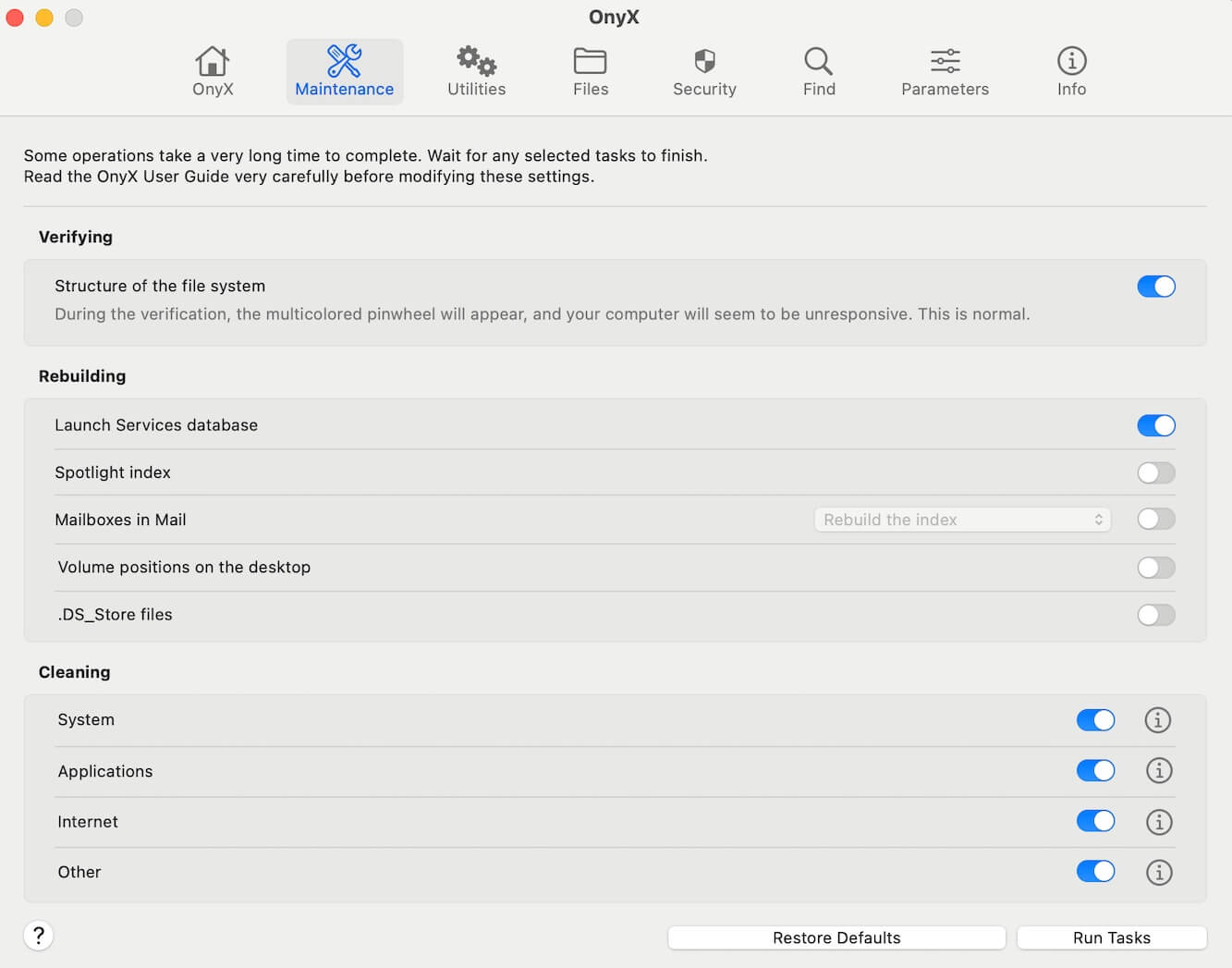
OnyX is a 100% CleanMyMac free alternative developed by Titanium Software. It supports Mac cleaning and maintenance by clearing up system caches and problematic files and verifying the structure of the system files. Moreover, this multi-functional tool can rebuild various databases and indexes and allow you to configure the parameters of some built-in apps on Mac.
- Pros:
- Completely free
- Performs both Mac cleaning and maintenance
- Highly customizable
- Supports Mac OS X Jaguar 10.2 - macOS Sequoia 15
- Compatible with both Intel-based and Apple Silicon Macs
- Cons:
- Not a specialized cleaning tool
- Lack of visual appeal
- Complex interface for beginners
- Can't clean up junk files on Mac deeply
OnyX vs. CleanMyMac
OnyX is a free Mac cleaning software, while CleanMyMac is not. Unlike CleanMyMac, this freeware doesn't have a concise interface. It is not as user-friendly as CleanMyMac, but it is a nice choice for tech-savvy users.
Overall experience
We find that OnyX has various functionalities and is categorized by maintenance, utilities, files, security, find, and parameters. It is not a dedicated cleaning software but an all-in-one solution for system cleaning, maintenance, configuration, and protection.
This CleanMyMac free alternative can only help clean up part of the junk files on your Mac. Junk files like duplicate files, unwanted downloads, trash, etc. will remain on your Mac after using this tool. If you prefer freeware, you can try it.
Editor's Review: OnyX is an advanced utility for sorting out accumulated macOS gunk and errors. It is featured with a high level of customization for system acceleration, bug fixes, and software updates. - Macworld
Mole
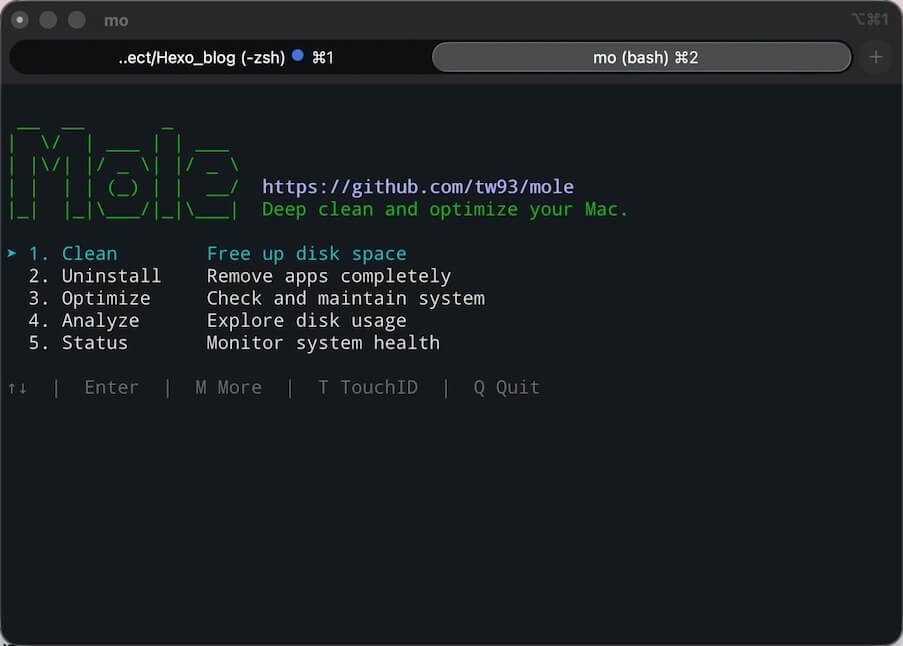
Mole is a free, open-source Mac cleaning and maintenance tool. It supports removing junk files, uninstalling apps completely, analyzing disk usage, and performing system maintenance. Unlike modern Mac cleaner applications with a user-friendly UI, Mole mainly runs through the command line in Terminal rather than a graphical interface.
- Pros:
- Completely free
- All-in-one Mac cleanup
- Supports system maintenance
- Cons:
- Hard to use
- Only suitable for tech-savvy users
Mole vs. CleanMyMac
Mole and CleanMyMac are both all-in-one Mac cleaning tools, but they target different users. Mole emphasizes free, open-source, command-line maintenance, while CleanMyMac offers a polished graphical interface and a broader set of consumer-friendly features.
Overall experience
Mole is a free and open-source Mac cleaning tool that appeals to developers and technically savvy users. It combines junk cleanup, app uninstallation, disk analysis, and system maintenance in a command-line interface. While its extensive features and deletion-preview options offer good control, its Terminal-based workflow can be intimidating for beginners.
My recommendation: Position Mole as a free alternative to CleanMyMac, but not necessarily a direct replacement for users who prioritize ease of use and a polished graphical interface.
iBoysoft Cleaner
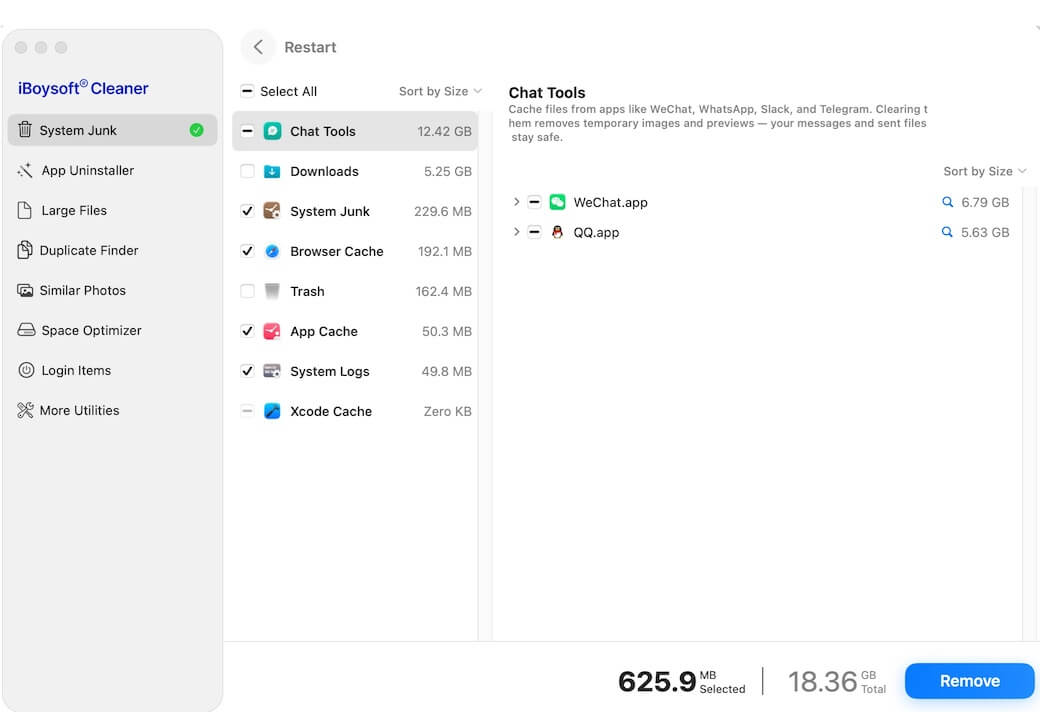
iBoysoft Cleaner is an AI-driven Mac cleaner. With thorough smart scanning, it can locate system junk, including outdated downloads, chat tool cache, system cache, system logs, etc., app and app-associated files, uninstalled app residuals, duplicate files, and images on your Mac.
Moreover, it can help you analyze the space usage of your Mac, user folder, the Downloads folder, the Desktop, or other folders and give you an AI explanation of what the files are and whether you can delete them safely.
This CleanMyMac alternative can help you judge what to delete and what to keep, so you can do a quick and deep Mac cleanup.
- Pros:
- Deep and thorough system junk file scanning
- AI-driven space analysis
- Smart and safe cleaning
- Low risk of mistaken deletion
- Full-scale disk space optimization
- Simple UI and easy to use
- Smooth, fast, and secure
- Cost-effective
- Free trial available
- Cons:
- No malware protection function
iBoysoft Cleaner vs. CleanMyMac
iBoysoft Cleaner is an AI-powered Mac cleaner. It can smartly scan system junk files and analyze Mac space usage, with AI explanations, helping you know what to delete safely and what to keep. Those features are what CleanMyMac doesn't have.
iBoysoft Cleaner is an 8.2 MB download on the Mac App Store, while CleanMyMac is 320 MB. Although CleanMyMac has malware protection, it is much more expensive and consumes more resources. Both iBoysoft Cleaner and CleanMyMac contain system performance maintenance.
Overall experience
iBoysoft Cleaner is easy to use. After we click System Junk on the app's interface, it immediately begins to find the junk files on the Mac. The time iBoysoft Cleaner takes to search for junk files is not short, especially for the test Mac we've used for years and accumulated a huge amount of data, but it finds many more system junk files than some other Mac cleaning tools.
It smartly selects those junk files that are safe to delete. Unlike some other Mac cleaning software, this tool won't run in the background.
Editor's Review: iBoysoft Cleaner is a well-designed Mac system cleaning and space analysis app that allows you to scan and delete junk files with only clicks. It can deeply find and delete system logs, Xcode cache, system temporary files, browser cache, etc. - Mac App Store
iBoysoft DiskGeeker for Mac
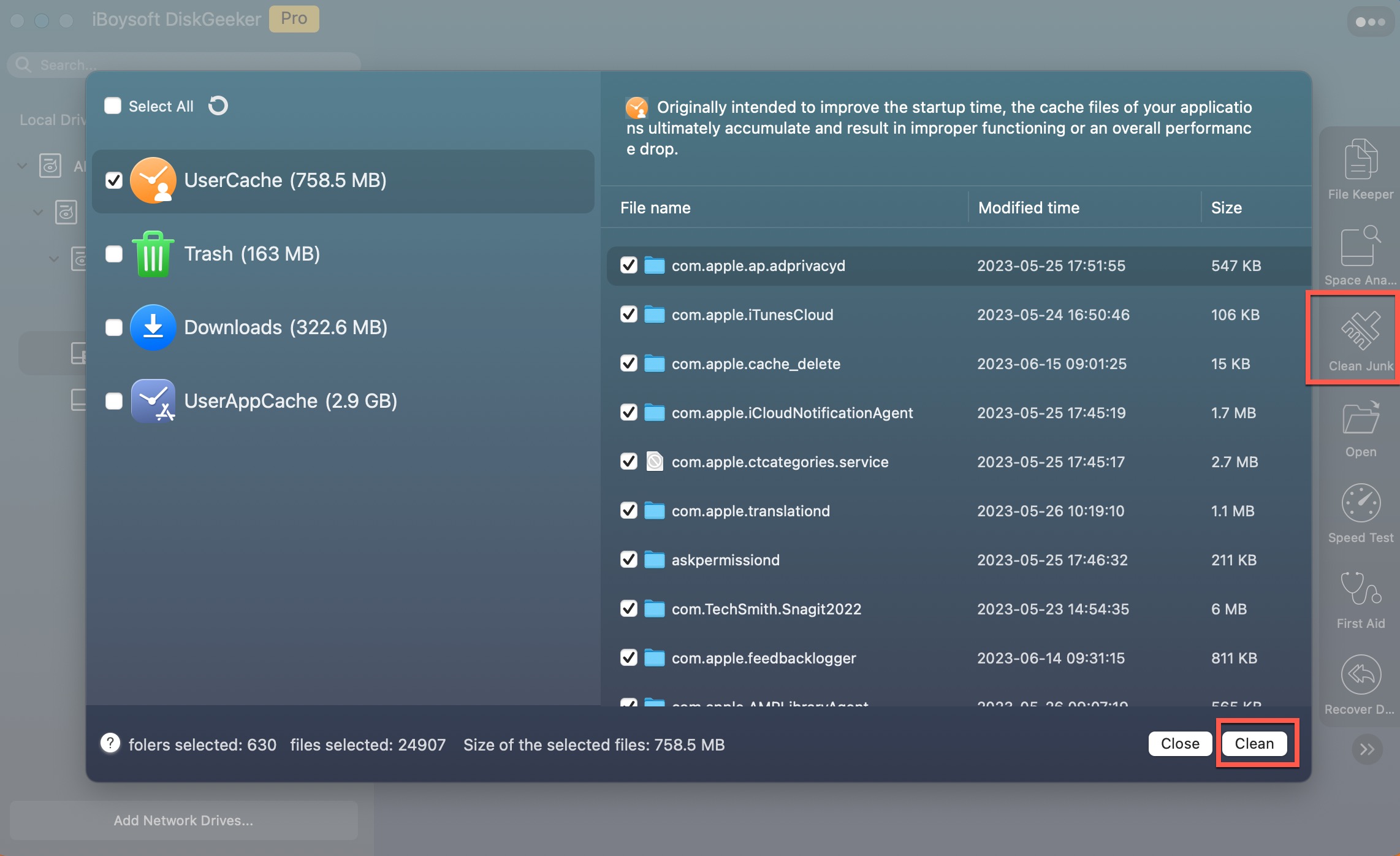
iBoysoft DiskGeeker for Mac is a multi-functional disk management tool. It helps scan diverse junk files on your Mac for one-click deletion, including user cache, user log files, spam mail, trash, unwanted downloads, app cache files, etc. With it, you can optimize your Mac within seconds.
Moreover, this utility also features space analysis and disk monitoring functions.
- Pros:
- Specializes in deep junk file cleaning
- Quick junk file scanning
- One-click junk file deletion
- All-in-one Mac management tool
- Modern UI
- Easy to operate
- Cons:
- No phone support
iBoysoft DiskGeeker for Mac vs. CleanMyMac
iBoysoft DiskGeeker for Mac not only specializes in system junk file cleaning, Mac storage optimization, and system maintenance, but also focuses on disk management and fixing. With it, you can read/write NTFS drives on Mac, clone disks, unlock and mount BitLocker drives on Mac, test disk speed, download macOS DMG and ISO files, and create macOS bootable USB drives with only clicks.
CleanMyMac only focuses on Mac cleaning and system maintenance. And it is priced higher, starting at $26.64/month, higher than iBoysoft DiskGeeker for Mac's basic edition costs $29.95 per year.
If you need to both optimize and manage your Mac and external drives, iBoysoft DiskGeeker is better.
Overall experience
iBoysoft DiskGeeker for Mac has a simple UI and is easy to use. After the quick scan, we simply click the Clean button to clear different types of junk files from the Mac. The space that those junk files consume is immediately released.
We also tried some other functions of this Mac cleaner, and all of them work stably and smoothly. This tool has the same price as CleanMyMac but covers more functionalities.
Editor's Review: iBoysoft DiskGeeker is a multi-functional disk management utility tailor-made for Mac users. It aims to help all Mac users enhance data security, optimize system performance, and improve work efficiency. - g2.com
Avast Cleanup Premium
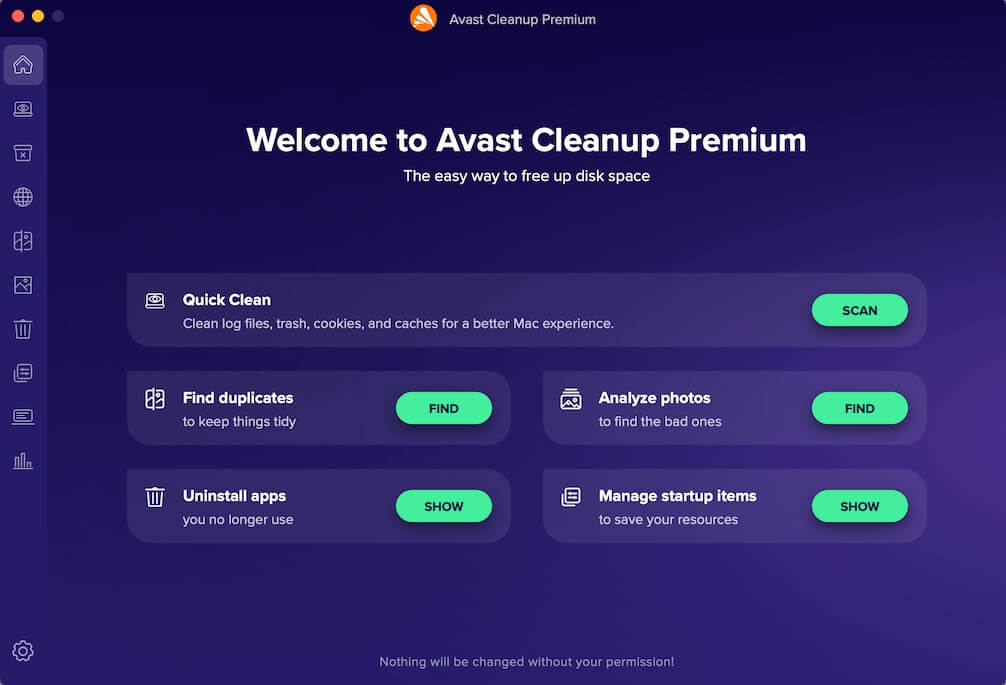
Avast Cleanup Premium is a powerful Mac cleaner that includes performance optimization, storage cleaning, and system monitoring. It is developed by Avast, a well-known cybersecurity company, which means its security-related optimization features are outstanding.
- Pros:
- Automatic Mac cleanup and optimization
- Reliable performance
- Clear up duplicates
- Similar and bad photo removal
- System Monitor
- Cons:
- Not cost-effective
Avast Cleanup Premium vs. CleanMyMac
Both tools offer comprehensive cleaning, but Avast Cleanup integrates with more advanced security features, providing real-time memory and disk usage monitoring and additional security-related system optimizations.
Overall experience
Avast Cleanup regularly scans the Mac for unnecessary file cleaning, including old caches, cookies, log files, duplicate photos, etc. Its automated maintenance features ensure the system runs smoothly all the time. This CleanMyMac alternative also supports us in managing browsers and startup items for a better experience with our Mac.
Editor's Review: Avast Cleanup Premium brings you maximum Mac performance by cleaning up system junk files, undergoing automatic system maintenance and updates, and protecting against virus and malware attacks. It's a nice choice for Mac users. - techradar.com
MacKeeper
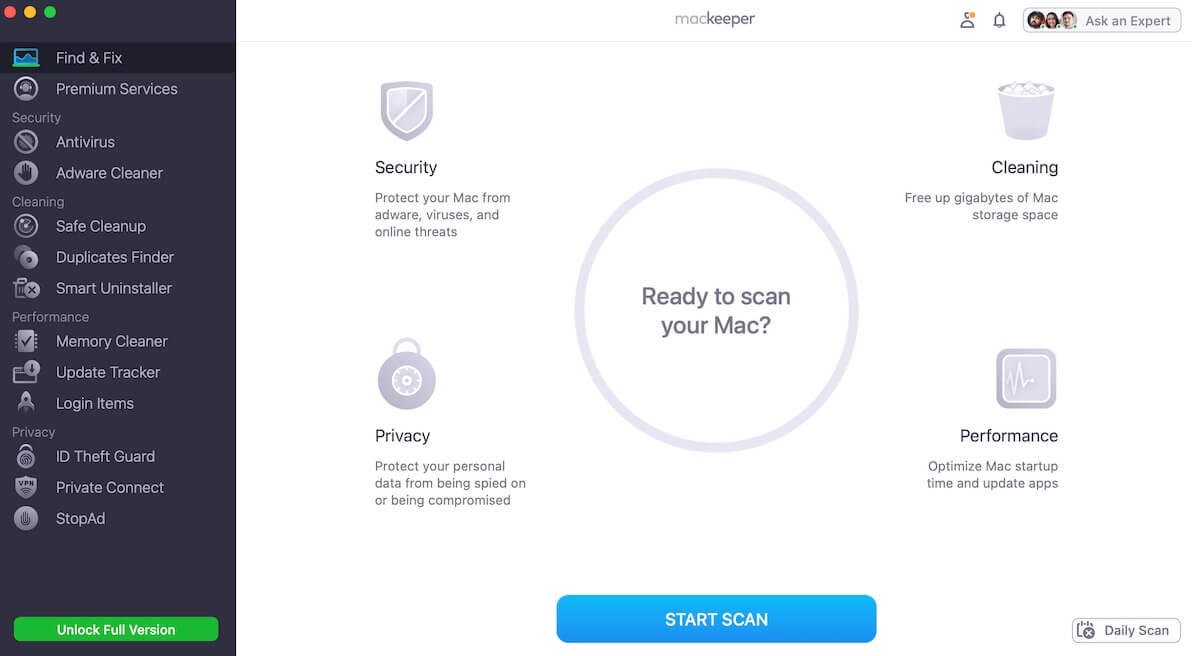
MacKeeper is an all-in-one security and optimization software for macOS. It offers a range of features to keep Mac in top shape, including antivirus protection, junk file deletion, privacy protection, and performance optimization.
- Pros:
- Junk searching and cleaning
- Duplicate file finding
- Login item management
- Adware and virus protection
- Cons:
- Running in the background even quit it
- Resource-intensive cleaner
MacKeeper vs. CleanMyMac
MacKeeper features duplicate finding, login item management, and memory release. Although CleanMyMac has similar functions, it is more expensive than MacKeeper, as MacKeeper costs $95.40/year, while CleanMyMac starts at $26.64/month.
Overall experience
MacKeeper takes a relatively long time to scan junk files on the Mac when compared with other Mac optimizers like iBoysoft Cleaner and iBoysoft DiskGeeker for Mac. Running it slows down our Mac performance as this program is resource-intensive.
Editor's Review: MacKeeper is integrated with diverse security, privacy, performance, and cleaning features. It is an all-inclusive Mac cleaning and protection tool to help Mac users work better with their devices. - PC MAG
CCleaner
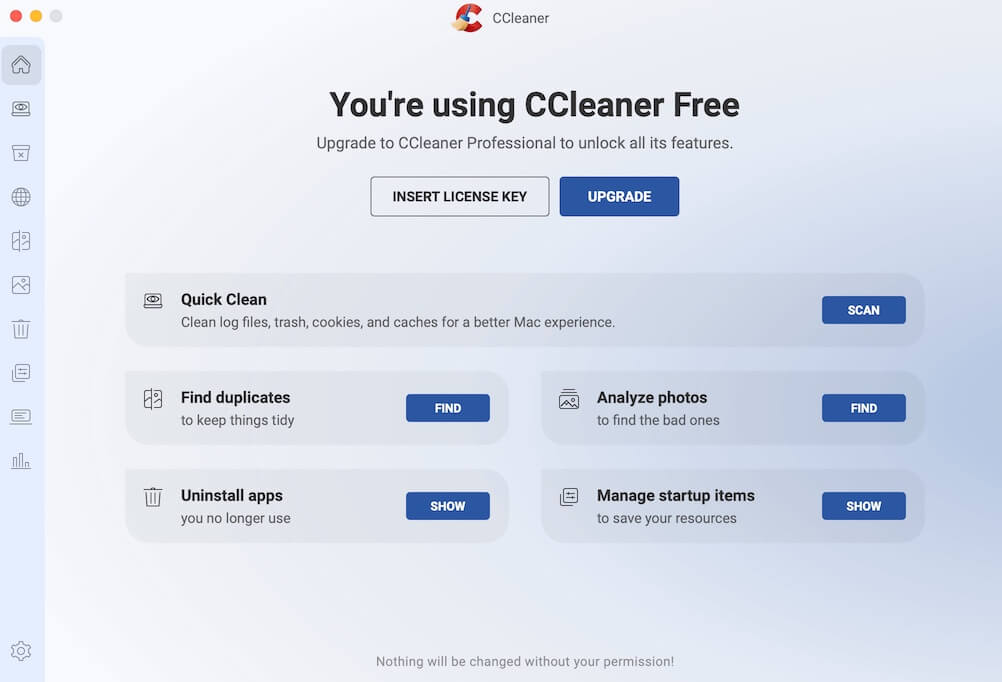
CCleaner is another comprehensive CleanMyMac alternative. Similar to Avast Cleanup Premium, it supports cleaning duplicates, bad or duplicate photos, useless apps, and managing startup items.
- Pros:
- Clean duplicate files and photos
- Manage startup items
- Remove junk files
- Cons:
- The free version only supports junk file searching
- No advanced features
CCleaner vs. CleanMyMac
CCleaner supports browser and bad photo cleaning that CleanMyMac doesn't have. This CleanMyMac alternative for Mac is designed with more features for Mac optimization.
Overall experience
This Mac cleaner can help find app cache files, log files, trash, cookies, and web caches for one-click removal. It can search for most junk files but not all. In general, it is easy to use and quick to clean junk files.
Editor's Review: CCleaner has been a popular performance optimizer since 2004. With the real-time junk monitoring and automatic app update functionalities, this software can keep your Mac in the optimum state. - cybernews
MacCleaner Pro
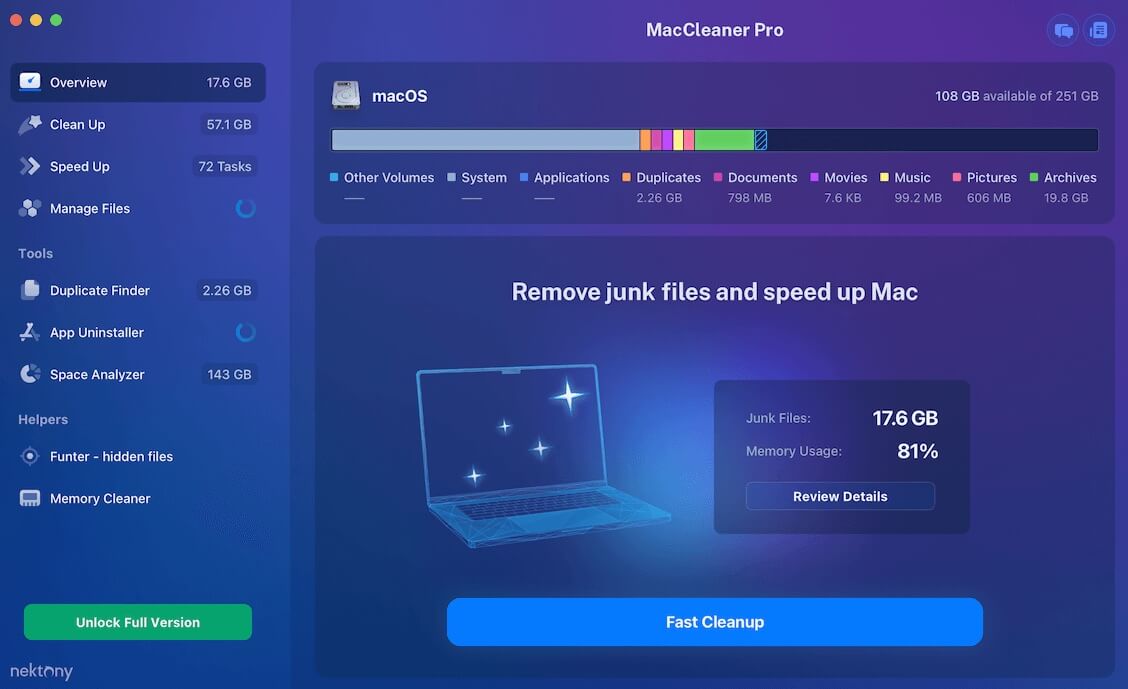
MacCleaner Pro features Mac speed boost, file management and cleaning, duplicate file checking, unwanted app uninstallation, and space analysis. It is an all-in-one Mac optimizer with modern and clear user interface.
- Pros:
- Fast Mac optimization
- Comprehensive junk file removal
- Intuitive storage usage presentation
- Cons:
- No system monitoring
- No virus and malware protection
- Bundle with unnecessary programs
MacCleaner Pro vs. CleanMyMac
MacCleaner Pro offers intuitive Mac storage usage. Users can clearly find how much storage each type of junk file occupies, while CleanMyMac doesn't. However, MacCleaner Pro doesn't have any security protection functions like CleanMyMac.
Overall experience
MacCleaner Pro has a friendly UI. From its main interface, we can see the storage condition of our Mac. Its auto-scan design relieves our fingers to manually start a junk file finding. Both scanning speed and overall performance are good.
Editor's Review: MacCleaner Pro is an excellent Mac optimizer and cleaner. It keeps your Mac's SSD always having enough space, rendering the system performance fast and stable in routine. - AppleInsider
MacBooster 8
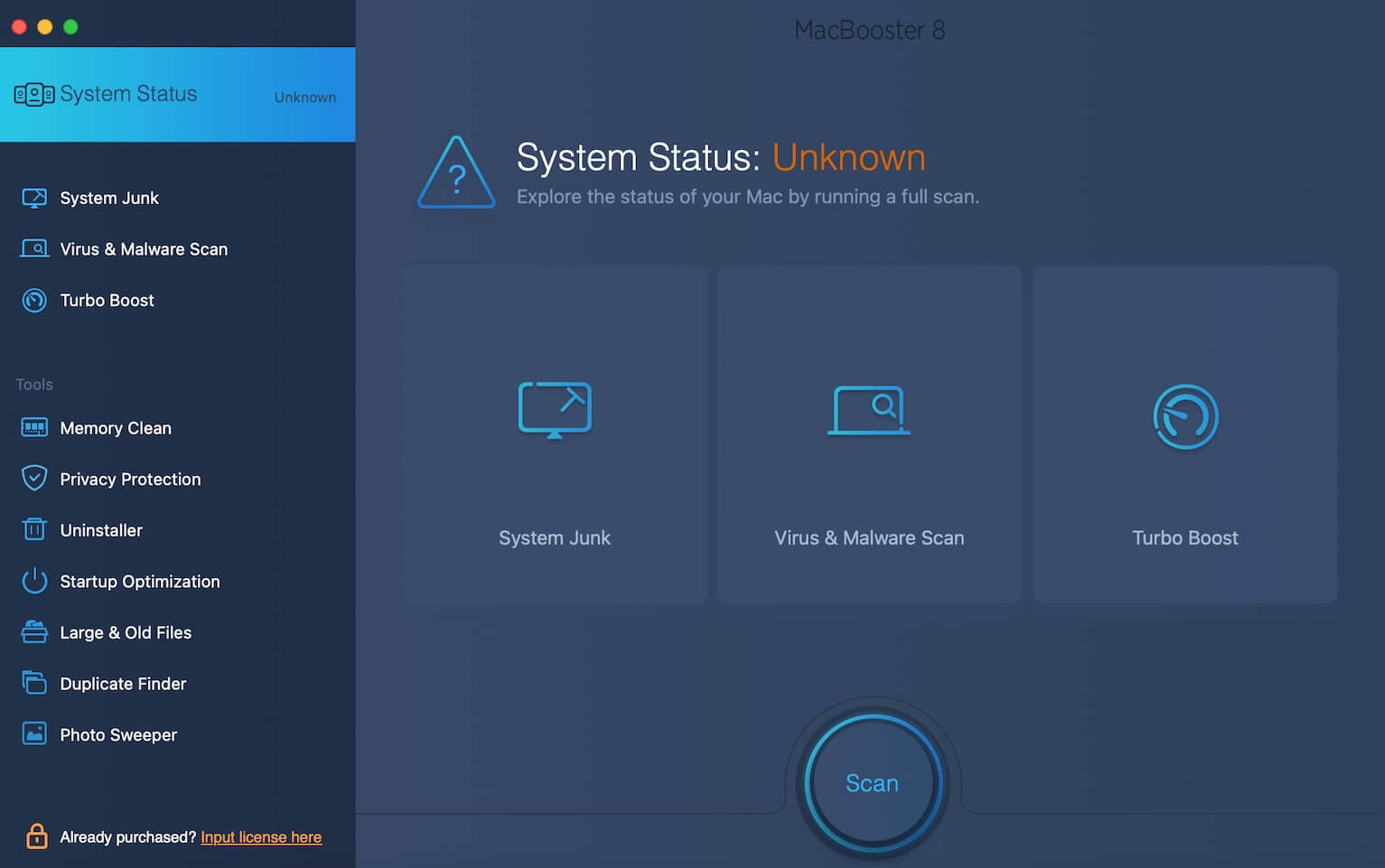
MacBooster 8 is another comprehensive Mac maintenance and optimization software. It is also highly recommended as one of the best CleanMyMac alternatives. This utility is designed to boost system performance via effective junk file cleaning. In addition to system cleanup, this cleaning software for Mac provides malware removal and privacy protection, ensuring a secure work environment on Mac.
- Pros:
- Thorough system cleanup
- Features malware and virus protection
- Effective in system performance optimization
- Cons:
- Bundled with other applications
MacBooster 8 vs. CleanMyMac
MacBooster 8 covers additional features that CleanMyMac doesn't have, including startup item management and large and old file finding.
Overall experience
As one of the best alternatives to CleanMyMac, MacBooster 8 makes it easy to clean up junk files, protect your Mac from viruses and malware, and optimize your Mac all-round. However, we noticed that unknown programs will also be installed along with this tool. This raises our concerns about the app's trustworthiness.
Editor's Review: MacBooster 8 has the malware scan and protection and junk file cleaning features like most other Mac cleaners. It is featured for its system status assessment feature and simple UI. - Best Reviews
Whether you prefer any CleanMyMac alternative, each tool has its strengths. Choose the one that best fits your needs and keep your Mac running smoothly!