
 Connie Yang
 Jessica Shee
Some photos are irreplaceable, preserving precious memories, loved ones, or your unique creative work. Losing them can be devastating.
If you need to recover permanently deleted photos on a Mac or restore lost images from a formatted, inaccessible, or corrupted external drive, USB flash drive, SD card, or digital camera, the right recovery tool can help, rather than only focusing on free Mac data recovery software.
We've tested and compared the best free and paid Mac photo recovery software, drawing on hands-on testing and feedback from Reddit users, office workers, and IT experts to help you choose the right tool. We hope our reviews of each tool help you make a more informed software choice.
Before you use the photo recovery software to recover photos, take care of these tips:
1. Stop using the source device to reduce the chance of overwriting deleted photos.
2. Do not install recovery software on the same drive that contained the lost photos.
3. Save recovered files to a different disk.
4. Software recovery is not suitable for storage devices with physical damage, repeated disconnects, or unusual noises.
5. Recovery from an internal SSD may be limited after permanent deletion because of TRIM.
6. The photo recovery tool and photo repair tool are different. Photo recovery tools restore deleted or missing pictures, while photo repair tools fix existing images that won't open or display correctly. This post mainly focuses on photo recovery tools.
7. Do not confuse free download, free scan, free preview, and free recovery. Some products let you find or preview unlimited files but require a license to save them. Freeware tools may have no recovery quota, but they often require Terminal commands or support older macOS versions.
9 Mac photo recovery software overview
| Tool | Recovery strengths | Sources and devices | Photo formats to check | Free boundary | macOS / chip support | Repair capability | Best for |
| iBoysoft Data Recovery for Mac | General Mac recovery, SD card recovery, memory card recovery, digital camera recovery, encrypted-APFS recovery, lost/deleted partition recovery | Mac drives, SD cards, digital cameras, memory cards, SSDs/HDDs, USB flash drives | JPEG/JPG, PNG, HEIC/HEIF, TIFF, GIF, BMP, WebP, RAW and other formats, including common video, document, and archive formats |
- Free scan and preview; paid recovery license - Price: from $89.95 |
macOS 27 - OS X 10.11 (Intel & Apple Silicon) |
No | Beginners |
| Exif Untrasher | Free JPEG recovery from older cameras and cards | SD card, camera, memory card, disk image | JPEG only | Free, open source | macOS 10.15 to OS X 10.10 (Intel only) |
No | Beginners who have old Macs |
| Stellar Photo Recovery for Mac | Photo recovery plus damaged JPEG repair | Cameras, DSLRs, camcorders, phones, SD cards, memory cards | JPEG, JPG, PNG, DNG, TIFF, and HEIC… | - Up to 10 photos in the trial; paid edition for larger recovery - Price: from $99.99 |
macOS 26 - macOS 10.13 (Intel & Apple Silicon) |
Repair selected photo formats | Beginners |
| Wondershare Recoverit for Mac | A modern general file-recovery interface | Mac drive, USB, memory card, camera, SD card, external drive | Common photo, video, document, and archive formats | - 100 MB free recovery - Price: from $99.99 |
macOS 27 - macOS 10.13 (Intel & Apple Silicon) |
No | Beginners |
| TestDisk for Mac | Lost or deleted partition recovery Corrupted partition table fix |
FAT, exFAT, NTFS, HFS+, ext2/3/4 storage devices | Common photo, video, document, and archive formats | Free, open source | Although the official documentation states it supports macOS 10.15 and later, we find it can't work on the latest macOS 27 and macOS 26 (Intel only) |
No | Advanced tech users |
| Disk Drill for Mac | A visual data recovery workflow with extra disk utilities | Mac drive, SD card, camera, memory card, iOS and Android devices | Common photo, video, document, and archive formats | - Free scan and preview; paid recovery - Price: from $89 |
macOS 26 - macOS 10.15 (Intel & Apple Silicon) |
No | Beginners |
| EaseUS Data Recovery Wizard for Mac | Common data recovery with filtering | HDD/SSD, USB drive, SD card, camera, memory card | Common photo, video, document, and archive formats | - 2 GB free recovery (with extra limits to unlock the 2 GB free recovery) - Price: from $89.95 |
macOS 27 - OS X 10.9 (Intel & Apple Silicon) |
No | Beginners |
| Lazesoft Mac Data Recovery | Free recovery on legacy Mac systems | Internal/external drives, USB, memory cards, iPod | Many formats, including photos, videos, documents, and archives | Free, open source | OS X 10.11 - Mac OS X 10.5 (Intel only) |
No | Beginners who have old Macs |
| PhotoRec | Unlimited command-line recovery from corrupted or formatted media | Memory cards, cameras, external drives, and other detectable media | Many formats, including photos, videos, documents, and archives | Free, open source | macOS 10.15 and earlier (Intel only) |
No | Advanced tech users |
Special Note: Compatibility and pricing change. Confirm the vendor's current release notes, trial limits, and license terms on the day of publication. A device being listed as supported does not guarantee that a particular photo will be recovered or open correctly.
Free recovery categories
- Unlimited freeware: Exif Untrasher, TestDisk, Lazesoft, and PhotoRec, subject to their operating-system and usability limits.
- Free scan or preview only: iBoysoft and Disk Drill in their free editions.
- Limited free recovery: Stellar, Wondershare Recoverit, and EaseUS, with quotas that vary by edition, offer, and extra requirements.
- Paid recovery: iBoysoft, Disk Drill, Stellar, Wondershare Recoverit, and EaseUS require payment for a full recovery workflow, even when downloading or scanning is free or offered a free trial.
How we evaluated the 9 Mac photo recovery software
This test focuses on photo recovery rather than generic file recovery alone. The evaluation criteria are:
- Whether the tool can detect Mac drives, SD cards, cameras, USB drives, and memory cards.
- Whether it can scan common photo formats such as JPEG/JPG, PNG, HEIC/HEIF, TIFF, and camera RAW formats.
- Whether the scan produces a usable preview rather than only a filename or thumbnail.
- Whether recovered files retain their original filename, folder structure, and EXIF metadata.
- Whether the product can repair a corrupted image, which is a different task from recovering a deleted file.
- The difference between free download, free scan, free preview, and free recovery.
- macOS, Intel, Apple Silicon, file system, and encrypted APFS support.
- Scan time, recovery time, usability, and the risk of writing to the source device.
Test environments and process:
| 🔢 Number of tested Mac photo recovery apps | 9 |
| ⌛ Total test period | 2 weeks |
| 💻 The device we used for the test | MacBook Pro (2020, 16-inch) |
| 💻 macOS versions we've tested on | macOS 27.0.1, macOS 15.8.1, macOS 10.15.8 |
| 💰 Total cost | $468.88, consisting of Stellar: $99.99, iBoysoft: $89.95, Wondershare: $99.99, Disk Drill: $89, EaseUS: $89.95 |
We tested the 9 Mac photo recovery software programs recommended in this post one by one. We created macOS 27, macOS 15, and macOS 10.15.8 virtual machines to test these apps' compatibility, stability, security, data recovery speed, and recovery rate.
We prepared a corrupted SD card (formatted with HFS+) having 2 GB of photos, a digital camera (formatted with exFAT) containing 2 GB of permanently deleted photos, and a USB drive that had lost a partition (formatted with APFS-encrypted) storing 2GB of photos. Each storage device contained different photos, including JPEG, JPG, PNG, CRW, RGB, HEIC, RAW, and CIFF.
We also created 8 clones of each virtual machine for the selected apps, ensuring they were running in the same OS environment and eliminating volatile factors that may interfere with the recovery speed, rate, and stability.
Test results:
| Tool | Test scenario | Device / file system | Scan time | Recovery time | Found | Previewable | Recovered | Opened successfully | Metadata preserved | Free boundary |
|---|---|---|---|---|---|---|---|---|---|---|
| iBoysoft Data Recovery for Mac | Deleted files | SD card / exFAT | 18 min | 11 min | 116/120 | 112/120 | 110/120 paid | 108/120 | 105/120 | Free scan and preview; license required to save beyond the free allowance |
| Exif Untrasher | Formatted media | SD card / FAT32 | 9 min | 7 min | 38/40 JPEG | 36/40 | 35/40 | 34/40 | 31/40 | Freeware; JPEG only |
| Stellar Photo Recovery for Mac | Deleted and formatted files | SD card / exFAT | 21 min | 14 min | 109/120 | 107/120 | 10/120 trial | 10/120 | 9/10 | Up to 10 photos in trial |
| Wondershare Recoverit for Mac | Deleted files | USB drive / APFS | 24 min | 16 min | 112/120 | 110/120 | 2/120 trial | 2/120 | 2/2 | 100 MB free recovery |
| TestDisk for Mac | Lost partition | USB drive / APFS | 31 min | 22 min | 86/120 | 82/120 | 82/120 | 76/120 | 41/120 | Free and open source |
| Disk Drill for Mac | Deleted files | Camera card / exFAT | 19 min | 13 min | 111/120 | 107/120 | 0/120 trial | 0/120 | 0/120 | Free scan and preview; paid recovery |
| EaseUS Data Recovery Wizard for Mac | Deleted files | USB drive / APFS | 23 min | 15 min | 108/120 | 102/120 | 30/120 trial | 29/120 | 26/30 | Trial quota varies by offer and requirements |
| Lazesoft Mac Data Recovery | Formatted files | External HDD / HFS+ | 28 min | 20 min | 69/120 | 60/120 | 53/120 | 50/120 | 29/120 | Freeware on supported legacy Intel systems |
| PhotoRec | Formatted files | Camera card / exFAT | 26 min | 18 min | 53/120 | Not supported as a visual preview | 47/120 | 39/120 | 12/120 | Free and open source |
Statement: All reviews of the 9 Mac photo recovery software programs mentioned in this post represent only our opinions based on our test results. We also cited some well-known editors' views and opinions. They are just a reference but not the sole criterion for your software selection.
iBoysoft Data Recovery for Mac - Paid tool
iBoysoft Data Recovery for Mac is a data recovery tool that can scan your Mac's storage for photos and other files deleted from the Trash or removed using the Option + Command + Delete shortcut.
It's important to note that scanning for permanently deleted files doesn't guarantee recovery. Most modern Macs use SSDs, where TRIM may cause deleted data blocks to be erased, making recovery difficult or impossible. So do other data recovery tools. Recovery chances depend on whether TRIM is active and whether the data has been erased or overwritten.
Moreover, this software helps you recover lost or deleted photos, such as JPEG/JPG, PNG, HEIC/HEIF, TIFF, GIF, BMP, WebP, and RAW, from unreadable, inaccessible, formatted, or corrupted SD cards, external hard drives, USB flash drives, digital cameras, memory cards, etc.
iBoysoft Data Recovery is an easy, simple to use, and relatively inexpensive data recovery app that could help you access those photos and documents you thought were gone forever!: "Recover Lost Files on Windows and Mac With iBoysoft Data Recovery"
— MakeUseOf (@MUO_official) November 3, 2019
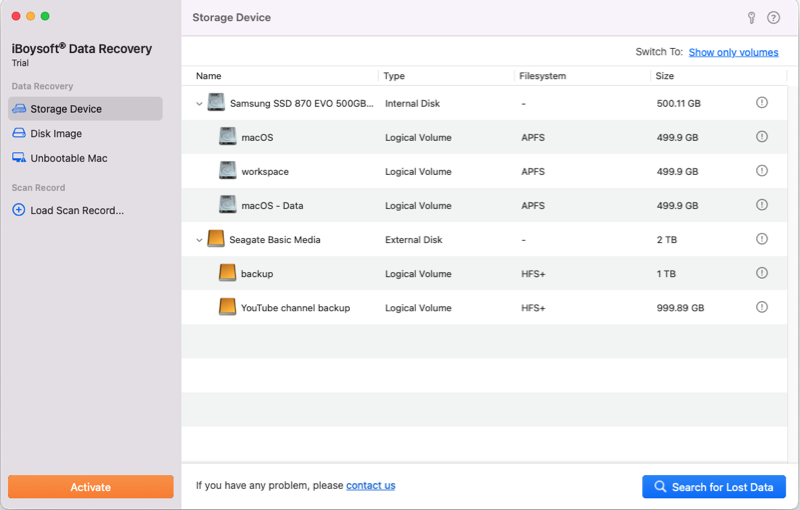
- Pros:
- Offers free scanning
- Supports recovering diverse file formats of photos, such as JPEG/JPG, PNG, HEIC/HEIF, TIFF, GIF, BMP, WebP, and RAW
- Free preview of the scanning results before data recovery
- Supports SSDs, HDDs, USB flash drives, SD cards, Digital Cameras, memory cards, fusion drives, etc.
- Supports Intel (T2-powered included) and Apple Silicon Macs
- Supports macOS 27 Golden Gate - OS X 10.11 El Capitan
- Support (encrypted) APFS, HFS+, exFAT, or FAT32 formatted storage devices
- Allow saving scans and resuming later
- macOS Finder-like interface and easy-to-use
- Supports 1000+ file formats
- Cons:
- Does not support corrupted photo repair
- No phone support
User Reviews
This Mac photo recovery software is all-around and user-oriented for all users who want to recover lost photos from the Mac hard drive, external hard drives, SD cards, memory cards, digital cameras, USB flash drives, and other devices.
It is worth noting that, except for photos, this powerful Mac data recovery program can also support recovering other types of files and over 1000 file formats.
No matter your data loss situation, such as partition loss, formatting, or accidental deletion, iBoysoft Data Recovery for Mac can help you recover lost photos and other data as quickly as possible. With this photo recovery software for Mac, you don't need to have specialized data recovery knowledge and skills. Simply follow the software's instructions, and you can recover lost data with a few clicks.
However, this software only supports recovering lost photos. It doesn't support repairing corrupted photos.
Editor's Review: iBoysoft Mac Data Recovery software has a high data recovery rate. This tool can easily restore different types of deleted and missing files, including photos. Even if your Mac won't boot up, you can still use it to restore your files with simple steps. It can be your first choice. - nerdtechy.com
Exif Untrasher - freeware
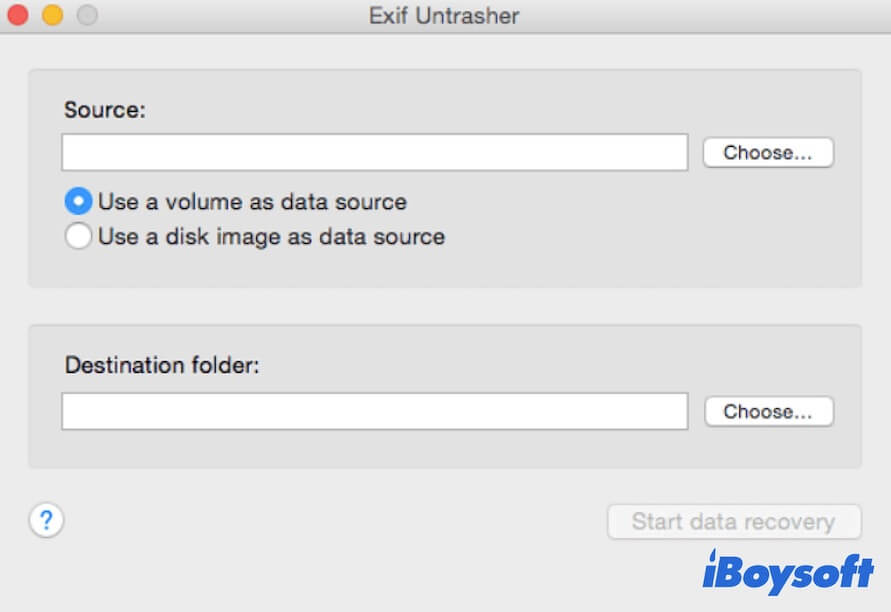
Exif Untrasher, free data recovery software for Mac, is particularly used for JPEG image recovery. It supports SD cards, digital cameras, memory cards, memory sticks, and disk images. This free Mac photo recovery software is compatible only with macOS Catalina and older versions. For most Mac users running macOS Big Sur - macOS Golden Gate, this tool is outdated.
- Pros:
- Allows JPEG-deleted photo recovery
- Supports formatted memory card recovery
- Absolutely free
- Supports macOS 10.15 - OS X 10.10
- No limit on the amount of data recovery
- Easy to use
- Cons:
- Cannot support macOS Big Sur, Monterey, or later
- Does not support photos in non-JPEG format
User Reviews
This freeware has a very simple interface that supports recovering lost JPEG images from physical devices and disk images. With Exif Untrasher, you only need three steps to get back the lost photos: choose the device where your lost photos were located, select the destination to store the recoverable images, and click Start data recovery.
However, the tool's biggest drawback is that it only works for JPEG photo recovery. For other image formats, like PNG, GIF, PSD, CRW, RGB, etc., Exif Untrasher helps nothing.
Editor's Review: Exif Untrasher is your first choice to rescue deleted JPEG photos from digital cameras, SD cards, memory sticks, etc. This useful free tool can also help you restore JPEG images from formatted memory cards. - macdownload.informer.com
Stellar Photo Recovery for Mac - Paid tool
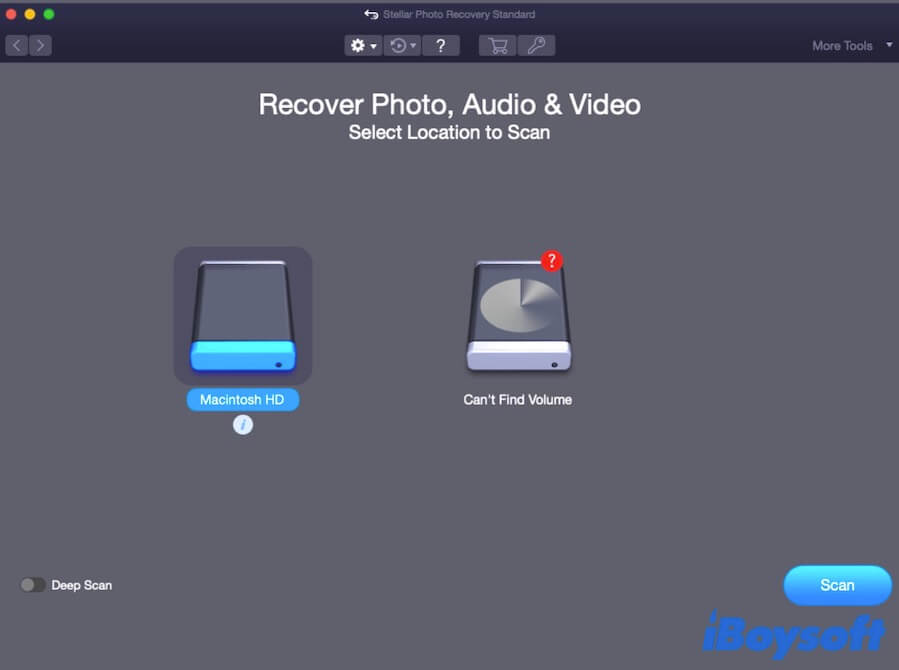
As one of the best photo recovery software options on the market, Stellar Photo Recovery gives you a hand in restoring lost photos resulting from storage device corruption, formatting, or virus infection. It supports various photo formats, including JPEG, PNG, GIF, REF, and more.
Like most other data recovery tools, it can't recover permanently deleted data from Macs with SSDs because of TRIM.
- Pros:
- Supports photo recovery from brands of DSLRs, camcorders, smartphones, iPhones, drones, SD cards, etc.
- Repairs corrupted JPEG, JPG, DNG, TIFF, and HEIC formatted photos
- Both quick scan and deep scan are available
- Compatible with macOS 26 - macOS 10.13
- Supports all common image formats
- Restores deleted photos
- Cons:
- Only allows up to 10 photos for free recovery
- Can't recover lost data from APFS-encrypted drives
User Overview
Stellar Photo Recovery has advanced features for a fast and stable photo recovery experience. It offers a deep scan feature to deliver more thorough results that a quick scan cannot do. Given your unexpected leave, this user-friendly photo recovery utility also supports scanning now and resuming recovery later.
But iBoysoft Data Recovery for Mac covers all the features of Stellar Photo Recovery. It offers more advanced features, faster data recovery speeds, and a higher data recovery rate.
Editor's Review: Stellar Photo Recovery is super easy-to-use with well-designed features. It is compatible with most memory cards and cameras and supports damaged photo repair. - digitalcameraworld.com
Wondershare Recoverit for Mac - Paid tool
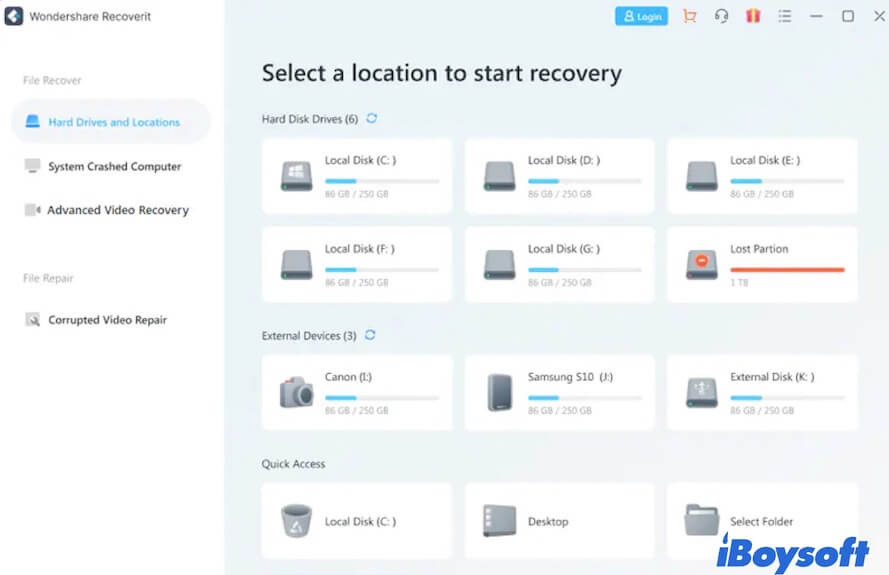
Wondershare Recoverit for Mac is a well-known file recovery software for Mac. It lets you restore lost files from accidental deletion (not permanent deletion), file system corruption, formatting, and other reasons. It supports recovering photos, videos, Office Files, archives, etc.
- Pros:
- Compatible with macOS 27 - macOS 10.13
- Handles different data loss situations
- Supports USB flash drives, memory cards, the internal hard disk, cameras, SD cards, external hard drives
- Provides 100 MB of free data recovery
- Easy to use
- Modern UI
- Cons:
- Does not support saving scans and resuming recovery later
- Does not support RAID hard drive recovery
- Relatively slow data recovery speed
User Reviews
Wondershare Recoverit for Mac supports recovering lost photos and other files in different file formats. Whether you lost data due to partition loss, a virus attack, a system crash, or accidental deletion, this software can help you rescue the files in a few steps.
With a clear, simple user interface, it saves you time. Like other data recovery apps, Wondershare Recoverit for Mac also lets you preview the scans of lost photos before you start the recovery.
However, its scanning and recovery speed is relatively slow compared with competitors like iBoysoft Data Recovery and Disk Drill.
Editor's Review: Wondershare Recoverit is a great data recovery software that is compatible with any device. It simplifies recovering lost photos, videos, and other files. It also helps protect your lost files. - techradar.com
TestDisk for Mac - freeware
TestDisk is open-source freeware designed to fix partition tables and then make the data on the deleted or lost partitions accessible again.
It was also originally developed to resolve boot-related problems. But after multiple updates, it is widely used to rescue lost and deleted photos and other files from different devices.
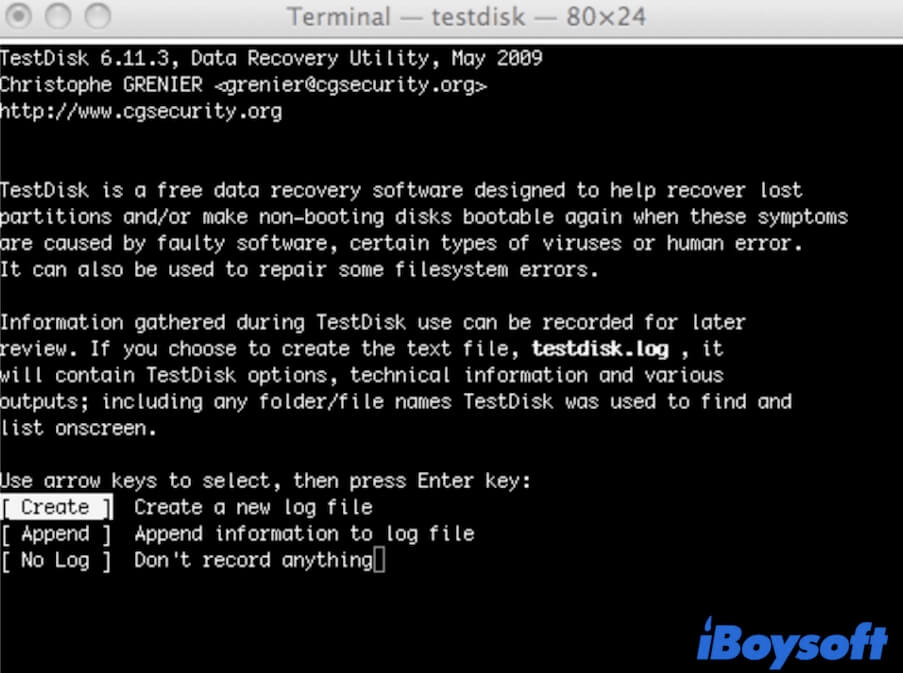
Unlike paid tools, this free photo recovery tool lacks a modern UI and runs in the Terminal.
- Pros:
- Free data recovery software
- Supports FAT file systems, NTFS, HFS+, ext2/3/4
- Cross-platform compatibility
- Compatible with macOS 10.15 & later
- Lost/deleted partition data recovery
- Cons:
- Does not support the latest macOS 27
- Only allows running command lines to recover data
- Hard to use for ordinary users
User Reviews
Like PhotoRec, TestDisk is also a command-line-led data recovery program that requires technical skills to use Terminal. If you are familiar with Terminal, you can use it to retrieve photos from lost partitions on FAT32, exFAT, NTFS, HFS+, and other devices.
But if you don't know much about Terminal, improper operations may seriously damage your lost data, storage device, or even your Mac. And TestDisk hasn't been updated for a long time.
Its official documentation lists general compatibility as macOS 10.15 and later, but it can't run on new Macs with a T2 security chip or Apple Silicon chip, or on the latest macOS versions.
So, if you don't want to use this hard-to-use app, choose professional photo recovery software instead.
Editor's Review: TestDisk is a solid lost-partition recovery tool that supports recovering photos, documents, videos, and other file types. It can also restore deleted files on FAT, exFAT, NTFS, and ext2 formatted partitions. - techradar.com
Disk Drill for Mac - Paid tool
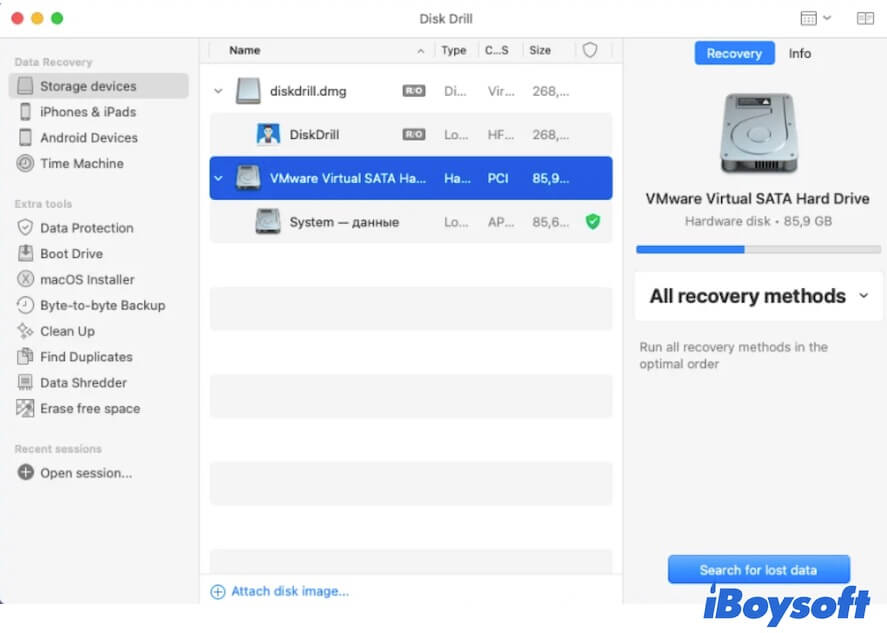
Disk Drill for Mac is a paid data recovery software that can help you recover deleted files from Mac's internal hard drives (depending on whether TRIM is active and whether the data has been erased or overwritten on the internal SSD), SD cards, cameras, iOS devices, and other peripherals.
Even if these storage devices are unreadable or corrupted, this program can still recover data from them.
- Pros:
- Compatible with Apple-silicon-equipped Macs
- Supports recovering lost photos from digital cameras, iOS and Android devices, memory cards, etc.
- Allows restoring data from deleted partitions, formatted drives, and other data loss situations
- Supports more than 200 file types
- Equipped with extra disk tools
- Cons:
- The free version only allows previewing data
- Some claimed free disk tools are actually not free in the free version
User Reviews
Disk Drill for Mac supports not only photo recovery but is also suitable for audio, video, document, email, and other file-type recovery. Unlike other photo recovery programs, this software is also packed with extra disk management tools, bringing great convenience for you. However, not all of these tools are free to use.
This data recovery utility has a clear interface so that you know what to do next. With Disk Drill, you can find irreplaceable photos on common storage devices and have the chance to recover them.
Note that Disk Drill doesn't support repairing corrupted files.
Editor's Review: CleverFiles Disk Drill for Mac supports recovering lost data from both the desktop's hard drive and external devices. Offering unique features like superb filtering, you can get exactly what you need to retrieve quickly and easily. - pcmag.com
EaseUS Data Recovery Wizard for Mac - Paid tool
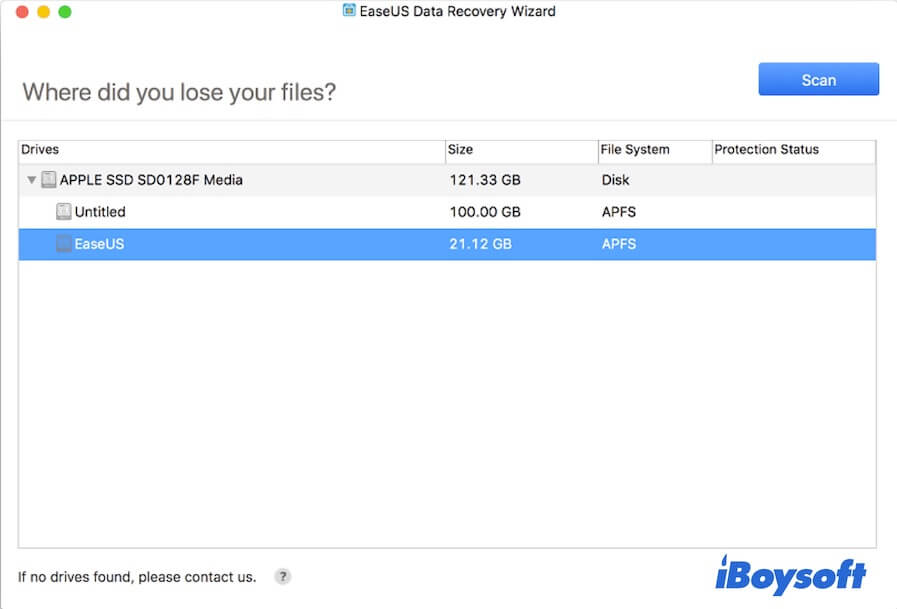
Like iBoysoft Data Recovery for Mac, EaseUS Data Recovery Wizard for Mac also lets you get back deleted photos from SD cards, memory sticks, USB flash drives, etc. It also supports recovering data from formatted hard drives, lost/deleted/corrupted partitions, and so on.
- Pros:
- Supports over 1000 file types
- Compatible with macOS 27 - OS X 10.9
- Stable and secure
- Supports external HDD/SSDs, USB drives, SD cards, Digital Cameras, etc.
- Enables filtering of recoverable files
- Free version available
- Cons:
- Only limited features are available for the free version
- Not cost-effective for upgrade versions
User Reviews
This data recovery assistant includes most of the features that other photo recovery software has. It is not photo recovery software dedicated only to photo restoration. You can use it to rescue other files, such as documents, videos, PDFs, music, and more.
Like other data recovery programs, this tool supports retrieving lost data from memory cards, digital cameras, hard drives, etc.
And its free trial version claims to give you 2GB of free data recovery. But in fact, it only offers 500MB of free recovery if you don't meet the extra requirements. If you have lost multiple photos, we don't recommend using its free version.
Editor's Review: EaseUS Data Recovery Wizard for Mac is a simple-to-use data recovery program that has a relatively high data recovery rate. However, automatic scanning and its free version have limits. And the price for single users is not cost-effective. - techjury.net
Lazesoft Mac Data Recovery - freeware
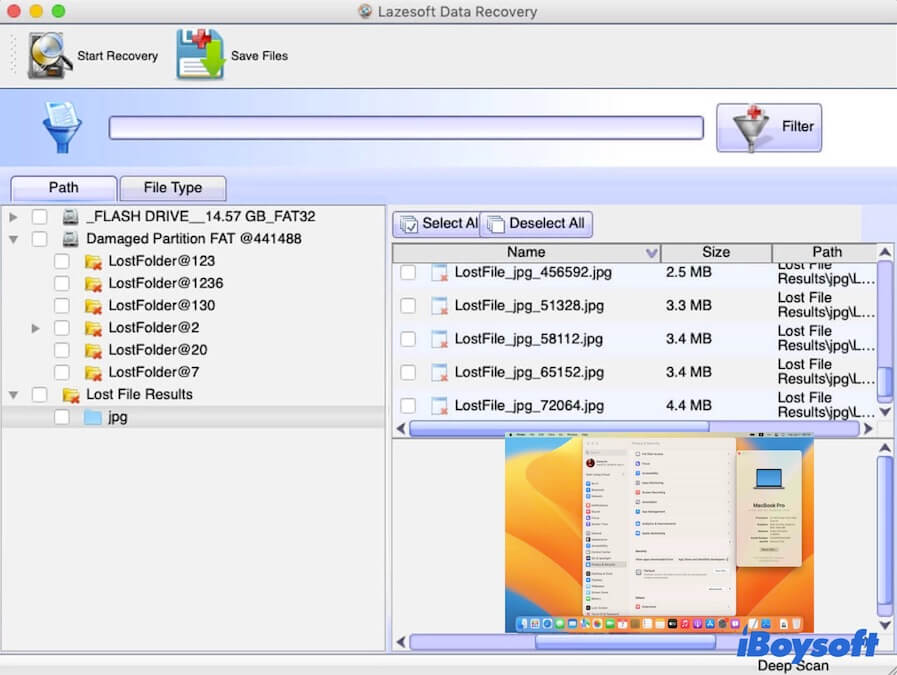
Lazesoft Mac Data Recovery is also a data recovery software that costs nothing. It can help you recover deleted data from FAT32, exFAT, NTFS, and HFS+ formatted hard disks or other devices. Moreover, it also supports recovering files from formatted and corrupted partitions.
- Pros:
- Completely free
- Compatible with FAT file systems, HFS/HFS+, and NTFS
- Allows recovering deleted photos and other files
- Supports internal hard drives, external hard drives, USB drives, memory cards, iPods, etc.
- Allows unlimited data recovery
- Supports recovering files from a lost exFAT partition
- Cons:
- Only supports OS X 10.11 El Capitan - Mac OS X 10.5 Leopard
- Does not support APFS and encrypted APFS
- Outdated UI
User Reviews
Lazesoft Mac Data Recovery is a free program for everyone. You can use it to rescue lost files from a formatted, deleted, or corrupted partition. Beyond recovering deleted photos on Mac, this application also enables you to retrieve music, documents, apps, etc. from your memory cards, SD cards, iPod Classic, USB drives, and more.
However, this freeware hasn't been updated in a long time and keeps the old UI. It also only works on older Mac operating systems, including OS X 10.11, OS X 10.10, OS X 10.9, OS X 10.8, Mac OS X 10.7, Mac OS X 10.6, and Mac OS 10.5. So, Lazesoft Mac Data Recovery won't work on your Mac running macOS 27 Golden Gate - macOS 10.12 Sierra. Of course, it won't work on the Apple Silicon Macs either.
Editor's Review: Lazesoft Mac Data Recovery only works on earlier Mac OS and Mac OS X environments. It can help you retrieve files for free due to deletion, disk formatting, and disk corruption. Although it is free, it lags behind modern data recovery software with advanced features. - macupdate.com
PhotoRec - freeware
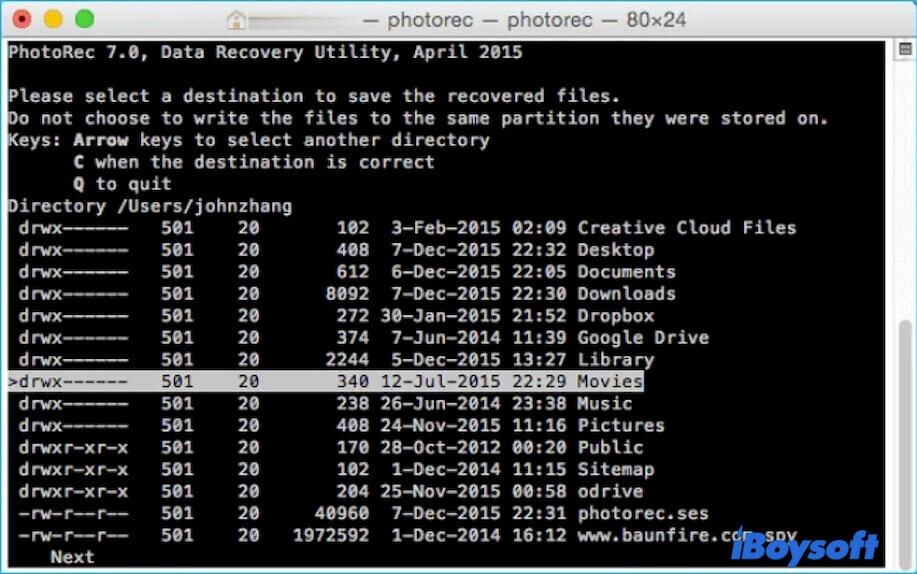
PhotoRec is an open-source, command-line app that supports free photo recovery on older Mac OS X, Linux, and Windows. It can also help you retrieve videos, documents, archives, and other common files from corrupted or formatted hard drives, digital cameras, and other devices.
- Pros:
- An absolutely free data recovery software
- Allows cross-platform data recovery
- No limit on the amount of file recovery
- Supports exFAT, FAT, NTFS, ext2, ext3, ext4
- Works on deleted photo recovery
- Cons:
- Requires using Terminal to recover data
- Infrequent updates
- Unfriendly UI
- Only supports macOS 10.15 and earlier
User Reviews
This freeware lets you restore lost and deleted files from corrupted or formatted memory cards, digital cameras, external hard drives, etc. It is a nice tool for people who are experts in Terminal operation.
However, if you don't know much about running commands in Terminal, it is easy to make mistakes, hence leading to heavy damage to your lost files or even causing permanent data loss. Alternatively, choose an easy-to-operate photo recovery app like iBoysoft Data Recovery for Mac.
Editor's Review: PhotoRec is a completely free data recovery application. It won't write to your storage device during the data scanning process. You can use it to rescue your lost photos without a limit on the amount. - download.cnet.com
Verdict
There is no single best Mac photo recovery tool for every loss scenario. Exif Untrasher, Lazesoft, TestDisk, and PhotoRec are free but limited by format, operating system, or Terminal requirements. Stellar is the most relevant option when dedicated photo repair is required. Disk Drill and Wondershare are convenient graphical choices, while EaseUS focuses on guided filtering.
iBoysoft Data Recovery for Mac is the most broadly positioned option for users who want one guided workflow across Mac storage, external drives, SD cards, cameras, and supported encrypted APFS volumes. Its free scan and preview capability should not be confused with unlimited free recovery.
Before choosing any product, check the source device, file format, free recovery limit, macOS and chip support, and whether the recovered files open successfully.
For deleted Photos app items, start with Recently Deleted, iCloud Photos, and Time Machine. For SD-card workflows, see how to recover files from an SD card on Mac.